 Zilla
Shade
Avoid the sun in your face for hours: read, sleep, work, keep your phone cool.
Seat advice, from the sun
Zilla follows the sun along your trip, minute by minute, and tells you which side to sit on, which seat letter to ask for, and where in the cabin. Stay in the shade, or get the sunset view.
Coming soon to Android and iPhone
Free · no ads · works in English, French, Spanish and Arabic
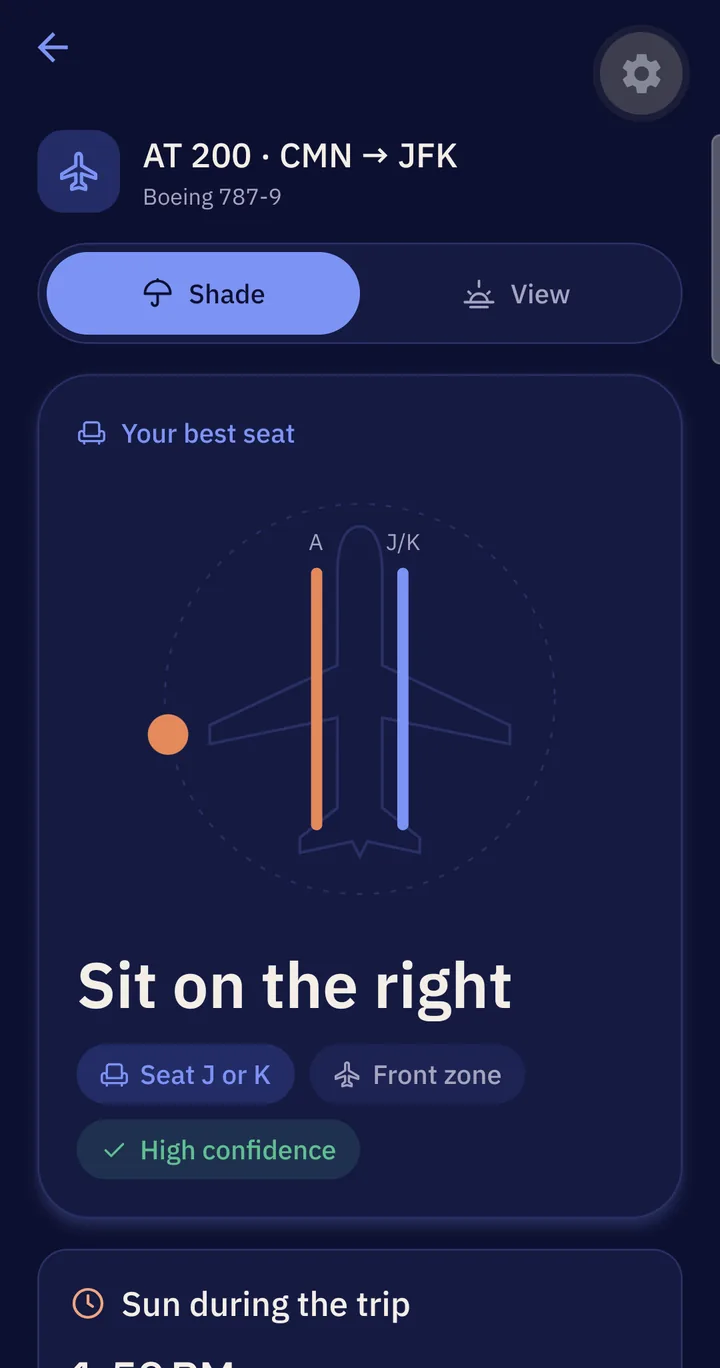
Scan your boarding pass or type the flight number. For a train, bus, car or ferry, pick any town, a point on the map, or your position.
It computes where the sun will be, from departure to arrival, against the direction your vehicle is heading — with astronomical precision.
You get the side, the seat letters (A, F, J, K…), the best zone of the cabin, and how sure the advice is.
Avoid the sun in your face for hours: read, sleep, work, keep your phone cool.
Face the sunrise or the sunset: Zilla tells you when, and on which side.
Boarding pass scan or flight number. Zilla finds the aircraft and gives its window seat letters (47 aircraft types).
70,000 towns worldwide, offline. Not in the list? Choose the point on the map, or start from where you are.
See where the sun is during the whole trip, hour by hour, and when it rises or sets.
Left or right, the seat letters, front, middle or back of the cabin — and a confidence level, honestly.
Every advice is saved on your phone and stays available without a connection.
Watch a flight: if its time changes, the advice follows. Notifications on your phone are coming soon.
Free
€1.99 / month
Premium comes after the launch. The seat advice stays free.
Free. Really.
The sun’s position is computed to within 0.05° of the reference astronomical model, along your real route and times. The seat letters are the usual layout of the aircraft type: some airlines differ, so Zilla says how sure it is.
To plan a trip, yes (flight data and route). Saved trips stay available offline, and the town search works without a connection.
The search knows every town of 5,000+ people. For anywhere else, tap “Choose on the map” and put the pin on your place, or tap “My position”.
Only when you tap “My position”, to fill in where your trip starts. Never in the background.
Yes. The seat advice is free. A premium plan (€1.99 per month) will add trip planning services later; it will always be optional.
English, French, Spanish and Arabic, following your phone’s language.